Camera for Android: HD Camera
- 4.7
- Rating
- 5.00M
- Installs
- Free
- Price

 Analysis by App-foxy
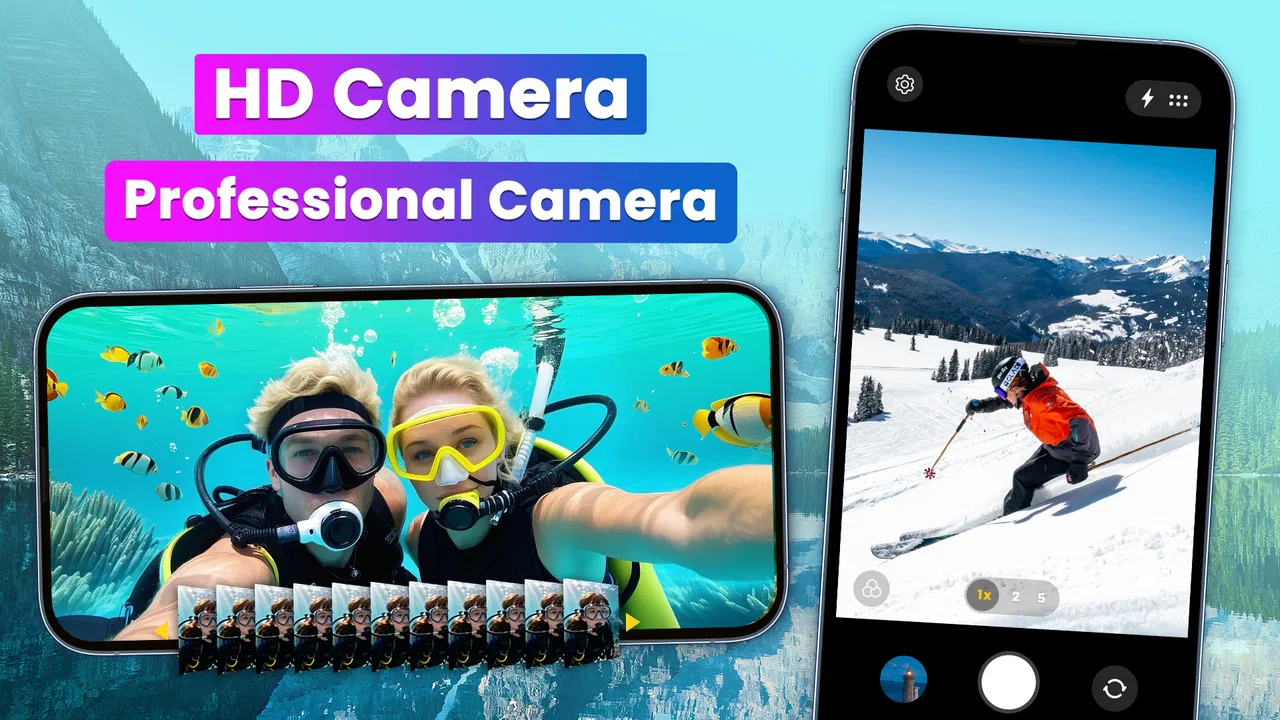
I usually judge a camera app by what happens in the few seconds between noticing a photo opportunity and pressing the shutter. If the interface slows me down, hides important choices, or pushes effects before I have taken the picture, I quickly return to the phone’s built-in camera. HD Camera takes a simpler route. It is a free photography app from Mobile Minds Dev, designed for people who want a more direct camera experience with high-definition photos, selfies, videos, and live filters.
After using it, my impression is that its appeal comes less from professional controls and more from convenience. It feels aimed at everyday shooting: a quick portrait, a short video, a filtered social post, or a clearer alternative to a cluttered default camera. The app has been available since October 9, 2014, and its current version is 2.2.8. That long presence gives it a familiar, established feel, although the age of the project also matters when deciding whether it matches a newer phone’s camera hardware and software.
Its public reception is strong, with a 4.7 average from around fifty-three thousand ratings and more than five million installs. Those figures suggest that the straightforward approach works for many people, but they do not tell me whether it is the best choice for every Android phone. My recommendation depends on what you want from a camera: quick access and filters, or advanced control, deep editing, and the most tightly integrated experience possible.
You May Also Like

 Google Keep - Notes and lists
Google Keep’s Quiet Growth Shows the Appeal of Simpler Notes
As mobile work gets busier, Google Keep keeps winning a simple contest: capture a thought quickly, find it later, and get on with the day.

 Blood Strike: 2.5 Anniversary
Blood Strike’s Loadouts Turn Every Drop Into a Tactical Gamble
A close look at Blood Strike’s custom loadouts: how fast access to signature weapons reshapes its battle royale rhythm, rewards preparation, and narrows the gap between fights.

 Pandora - Music & Podcasts
Pandora’s Music Is Easy to Start, but Harder to Recover
Pandora’s strength is its low-effort path from a seed to a station. Its weak spot is how much confidence it asks you to place in connection, setup, and quiet recovery.

 8 Ball Pool
 Is Built on Rivalries, Rematches, and Routine
A close look at the rivalries, rematches, shared routines, and unanswered safety questions that turn a quick pool match into a persistent mobile community.

 Samsung Music
’s Quiet Strength Is Playing What You Already Own
Its reach comes less from spectacle than from dependable access to a personal library. That simplicity is both the app’s strongest retention engine and its ceiling.

 AccuWeather: Weather Radar
AccuWeather Review: A Quick, Clear Forecast for Everyday Decisions
For everyday plans, the best forecast is the one you can understand quickly. AccuWeather makes rain timing, radar, and local conditions easy to act on, with a few trade-offs.
More From Our News Desk



What using HD Camera feels like in everyday photography
I find HD Camera most useful when I decide in advance what kind of shot I’m after, rather than treating every moment as a reason to change settings. In this section, I’ll focus on how a simple, repeatable routine can make quick photos and videos easier to manage. That practical starting point also makes it clearer which settings are worth checking before relying on the app.
A quick camera for ordinary moments
The most convincing use case is the one where I do not want to think about photography settings. Imagine walking through a market and spotting an interesting display, or meeting friends when the light is changing. I want to open the app, frame the subject, choose a look if necessary, and capture the moment without navigating a complicated menu. HD Camera is well suited to that kind of use because its identity is built around speed and simplicity rather than a long list of specialist tools.
The same applies to casual video. For a short clip of a child’s performance, a travel scene, or a message recorded for friends, the app’s focus on HD capture and a clean workflow can be more useful than a professional camera interface. I would still check the result before relying on it for something important, especially when the phone has several rear cameras or unusual hardware. A third-party camera app may not always handle every manufacturer-specific camera mode as elegantly as the phone’s own application.
Selfies are another clear target. A dedicated selfie workflow can save time when I am taking a quick profile picture or recording a short face-to-camera clip. The live filter option is useful when I want to preview a style before shooting instead of applying an effect later. That preview changes the decision from “take several versions and edit them” to “choose the look first and capture once,” which is a small but practical advantage when I am sharing something immediately.
Filters are helpful when used as a preview, not a crutch
I prefer using filters as a framing aid rather than as a way to rescue every photo. With HD Camera, the live approach makes sense for informal images because I can see whether a warmer, darker, or more stylized appearance suits the scene before pressing the shutter. It is especially convenient for a quick social image where the visual mood matters more than preserving a completely neutral file.
There is a trade-off, though. A filter chosen before capture can become a limitation if I later decide that the original look was better. For important photos, I would take a clean version first and experiment afterward in a separate editor. That workflow gives me more control and avoids making a permanent creative decision while I am distracted by the moment. HD Camera is at its best when the filter is part of the fun, not when the photograph needs careful color correction or a precise editing history.
Where it sits beside the built-in camera
The built-in camera remains the safer choice when I need the phone maker’s full hardware integration. It may offer specialized lenses, night processing, portrait separation, document tools, or device-specific stabilization that a simpler third-party app cannot reproduce equally well. If those modes are central to my photography, I would not replace the default camera completely.
HD Camera makes more sense as an alternative for a less complicated shooting routine. I can use it when the stock app feels overloaded, when I want a filter visible during composition, or when I prefer a separate camera interface for casual images. That makes it complementary rather than automatically superior. On a basic or older Android phone, the simpler design may feel particularly attractive; on a modern flagship, the built-in app may produce better results in difficult light.
What the version and device requirements mean
The app requires Android 6.0 or later, so compatibility is broad enough for many older devices as well as current ones. That is useful if I am trying to give an aging phone a more approachable camera interface. At the same time, broad compatibility should not be confused with identical performance across devices. Camera processing, focus behavior, video support, and access to lenses can vary according to the phone itself.
I would install it with realistic expectations: the app can provide a convenient camera layer, but it cannot turn a modest sensor into a flagship one. Better framing and a fast workflow often improve everyday results more than another technical setting, yet low-light quality still depends heavily on the hardware underneath. If a phone’s native camera already produces excellent night photos, I would compare both apps in the same room before choosing a permanent default.
Trust starts with visible choices
Because a camera app deals with sensitive moments, I pay attention to what I can see and control while using it. The most important choices are practical ones: whether I grant camera access, whether I allow microphone access when recording video, and whether I give the app access to photos or media when saving or selecting content. I prefer making those decisions deliberately rather than approving every request automatically.
Android’s permission controls are therefore part of my evaluation. I would review the permissions shown during installation and revisit them in the system settings if my usage changes. For example, I might allow camera access while taking pictures but avoid granting broader media access unless I need to import or manage existing files. The exact choices available can depend on the Android version and device, so I treat the permission screen on my own phone as the final authority.
I also avoid assuming that a simple interface automatically means minimal data collection. A clean camera screen tells me how the app feels, not everything about how information may be handled outside that screen. For privacy-sensitive photography, I would read the app’s current privacy information and check the permissions presented on my device. That is a sensible habit with any camera application, including one that is free to download.
Situations that deserve extra care
A camera can capture more than the person holding the phone intended. Photos may include faces, documents, home interiors, screens, addresses, or location clues in the scene. When I use HD Camera in a workplace, school, or public setting, I pause before photographing people or private material. The app’s convenience should not remove the need for consent and basic judgment.
I am also careful with documents. A quick camera app is fine for a temporary reference, but I would not automatically treat it as a secure document scanner. If I photograph an identity document, medical paper, or financial information, I check where the image is saved, who can access the phone, and whether I still need the file afterward. Deleting a sensitive image from the gallery and checking the trash or recycle area is a worthwhile final step.
Video adds another layer because sound may be recorded along with the picture. Before filming in a private space, I check whether audio is appropriate and whether other people know they are being recorded. This is not a criticism unique to HD Camera; it is simply the responsibility that comes with using any camera capable of video capture. The app’s fast workflow makes that reminder more important, not less.
In-app purchases and the free starting point
HD Camera is free to download, which makes it easy to test alongside the phone’s default camera before committing to a new routine. In-app purchases range from $2.99 to $9.99 per item. I would therefore explore the free experience first and only consider paying after identifying a feature or workflow that I genuinely use.
This matters because a free camera app can be attractive for occasional photography but less convincing if the most useful controls are separated from the basic experience. I would look carefully at each purchase screen, confirm what it unlocks, and avoid treating an optional effect as essential to image quality. The right question is not whether paying is automatically worthwhile, but whether the added choice saves me time or improves a type of photo I take regularly.
For families, the Everyone content rating is reassuring in terms of the app’s intended general audience, but it does not replace supervision around photography. Children can still photograph other people or share images without understanding the consequences. I would explain permission, privacy, and sharing rules rather than handing over the phone with the assumption that an age rating solves those issues.
Small workflow changes that improve results
One useful habit is to separate “capture now” photos from “keep forever” photos. I use the quick interface for moments where timing matters, but I review the result later and remove blurred duplicates or images containing unnecessary private details. This keeps the camera experience fast without allowing every impulse shot to remain permanently in my library.
A second habit is to compare the app and the built-in camera in the exact situations that matter to me. I would photograph the same subject in daylight, indoors, and in a moving scene, then inspect focus, exposure, skin tones, and video stability. This is more informative than judging either app from a single attractive sample. If HD Camera wins on speed but loses badly in dim light, I can use each app where it makes sense.
A third is to treat live filters as composition tools. Before capturing, I look at whether the effect hides facial detail, crushes shadow areas, or changes the color of objects that need to remain accurate. For a creative selfie, that may be fine. For a product photo, a document, or a family memory, I usually prefer a neutral capture and editing later.
I also keep an eye on storage. High-definition photos and videos can accumulate quickly, especially when I record several attempts. After a trip or event, I transfer the images I want, remove failed takes, and check that important files are backed up through the storage method I already trust. The app can make capture easier, but it does not replace a sensible photo-management routine.
Who will appreciate it most
I would recommend HD Camera to someone who wants a straightforward Android camera with filters, selfie support, and video access without learning manual photography terminology. It is a good fit for casual creators, families, travelers who want quick snapshots, and users whose default camera feels unnecessarily busy. The free entry point also makes it practical to test without immediately buying anything.
It may also suit someone using an older compatible phone who wants a fresh camera interface. The minimum requirement of Android 6.0 keeps the potential audience wider than apps built only for recent software. Still, I would judge the experience on the actual device, because an older phone may have slower processing, limited storage, or camera hardware that constrains the final image more than the app does.
Who should choose another camera instead
I would skip it as my main camera if I regularly shoot in difficult lighting, need manual shutter and focus control, depend on RAW files, or want detailed control over the phone’s multiple lenses. A photography-focused alternative will be more appropriate for those needs. Likewise, the built-in camera is probably better if I rely on a manufacturer’s night mode, portrait processing, or advanced stabilization.
I would also hesitate if my priority is a complete editing studio rather than fast capture. HD Camera’s appeal is getting from idea to image quickly; it is not a substitute for a dedicated editor with layers, selective adjustments, retouching, and export controls. Using both can be sensible: capture casually here, then edit carefully elsewhere when the image deserves more work.
My cautious verdict
HD Camera earns its place as a simple, approachable photography app rather than as a universal replacement for every Android camera. I like the emphasis on quick shooting, HD photos and videos, selfies, and live filters. Its strong user reception and broad compatibility make it worth testing, especially when I want less friction than the default camera provides.
My recommendation comes with two conditions. First, I would compare its results with the stock camera on my own phone instead of assuming that a simpler interface means better image quality. Second, I would review permissions, privacy information, purchase prompts, and saved media with the same care I give any app that can see through a camera lens. The best reason to use HD Camera is control over a quick everyday workflow, not blind trust or a promise of professional results.
For me, that makes it a useful companion: open it when speed, selfies, or a live visual style matter, and switch back to the built-in or specialist camera when hardware-specific processing and precise control matter more. If that balance matches the way you take pictures, the free version is an easy place to begin. If you need advanced photography tools or strict document handling, another option will be the more responsible choice.
Mobile Minds Dev has positioned this app in a practical middle ground, and that is where it works best. I would recommend trying it during ordinary routines rather than judging it only from a store preview: take a few daylight photos, record a short video, test a selfie filter, inspect the permissions, and see how the files fit into your existing gallery. That short trial should tell you whether HD Camera genuinely makes photography easier on your phone.
FAQs for Camera for Android: HD Camera
01What is Camera for Android: HD Camera, and what does it offer?
Camera for Android: HD Camera is a photography app designed to provide a more accessible alternative to the default camera on compatible Android phones. It typically includes photo and video capture, front and rear camera switching, flash controls, zoom, focus, exposure adjustment, and several shooting options. The exact tools available may vary depending on your device’s camera hardware and Android version.
02Does Camera for Android: HD Camera improve the actual image quality?
The app can provide additional controls and a different camera interface, but it cannot completely replace the limitations of your phone’s camera sensor or lens. Image quality depends on the device, lighting, focus, and selected settings. On some phones, the application may offer useful exposure or focus adjustments, while on others the system camera may still produce better results through manufacturer-specific processing.
03What permissions does Camera for Android: HD Camera require?
A camera application normally needs permission to access the device camera and microphone for recording video with sound. It may also request access to photos, media, or storage so captured images and videos can be saved or opened inside the app. Before accepting, review each permission in Android settings and deny anything that seems unnecessary for the features you intend to use.
04Is Camera for Android: HD Camera suitable for beginners?
Yes, the app is generally aimed at users who want a straightforward camera interface without learning complicated photography software. Basic actions such as taking a picture, recording video, changing cameras, and enabling the flash are usually easy to find. However, users unfamiliar with manual controls may need a little practice when adjusting exposure, focus, zoom, or other advanced shooting options.
05Are there any limitations to consider before downloading it?
Compatibility and available features can differ considerably between Android devices. Some phones may not support every resolution, zoom level, focus mode, or camera option offered by the interface. You should also check whether the app contains advertisements, optional purchases, or privacy-related settings before installation. For important photos, test the application first and confirm where it saves your media.
Pros
- Simple interface makes it easy to start taking photos quickly.
- Supports front and rear cameras for flexible shooting options.
- Useful timer helps capture group photos without extra equipment.
- Offers basic photo adjustments without requiring advanced editing skills.
- Small app size may be suitable for devices with limited storage.
Cons
- Image quality depends heavily on the phone’s camera hardware.
- Some features may vary between Android devices and camera models.
- The free version may include advertisements or promotional prompts.
- Advanced manual controls may be limited compared with professional camera apps.
- Low-light photos can show noise and reduced detail.

Camera for Android: HD Camera
Gallery